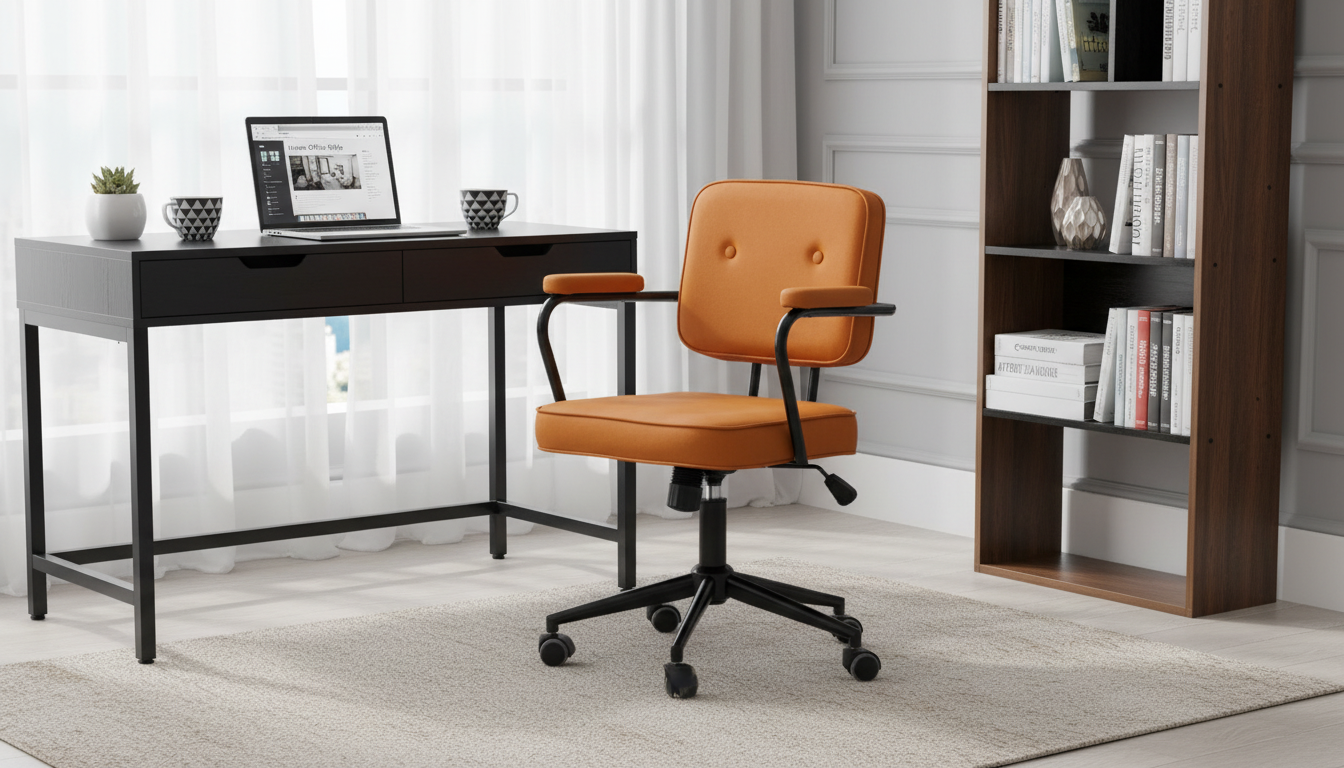
A compact swivel office chair with armrests can make a small desk setup feel more comfortable and functional without overcrowding the room. The right pick balances seat size, arm support, mobility, and stability—especially for apartments, dorms, home offices, and tight corners where every inch matters.
What Makes a Chair “Compact” (and Why It Matters)
“Compact” isn’t just about a smaller seat. It typically means a narrower overall width, a shorter front-to-back footprint, and a backrest that doesn’t visually or physically dominate the space. In a small room, those dimensions affect how easily you can move around the chair, open drawers, and keep walkways clear.
A smaller footprint also makes it easier to slide the chair under a desk when you’re done working, which can instantly “give back” floor space. That matters in multipurpose rooms where a desk shares space with a bed, couch, or dining table.
Compact doesn’t have to mean uncomfortable. The key is getting the main contact points right: seat height that matches your desk, a supportive back shape that encourages upright sitting, and armrests that don’t force you to perch away from the keyboard. A swivel function adds another space-saving advantage: it helps you reach a side table, shelf, or file drawer without repeatedly scooting the chair base across the floor.
Armrests: Comfort Feature or Space Problem?
Armrests can reduce shoulder and neck strain by supporting the forearms lightly while typing or mousing. When your arms are partially supported, it’s easier to keep your shoulders relaxed and avoid “shrugging” through long sessions.
In tight setups, armrests can also be the feature that makes a chair feel too big. Fixed armrests often increase the chair’s total width, and some designs sit high enough to collide with the desk edge or apron (the underside frame). When armrests hit the desk, many people end up sitting too far away—reaching forward to the keyboard—often worse than using a chair with no arm support.
Ideally, armrest height allows your elbows to rest near a 90-degree bend without lifting your shoulders. If your desk is tall or has a thick underside, armrests that adjust down (or flip up) are often easier to live with in small rooms.
Quick Armrest Fit Check
| Check |
Why it matters |
What to look for |
| Overall chair width |
Determines if the chair fits the desk opening |
Measure the narrowest gap under/around the desk |
| Armrest height vs. desk height |
Prevents armrests from blocking close seating |
Armrests should clear the desk edge or slide under it |
| Armrest pad length |
Affects mouse reach and typing position |
Pads shouldn’t force wrists forward or outward |
| Armrest spacing |
Supports neutral shoulder posture |
Forearms supported without squeezing elbows inward |
Swivel and Mobility: Getting the Right Movement
A smooth swivel is one of the most useful features in a small workspace because it supports tiny position changes without twisting your torso. Instead of reaching and rotating from your spine, you can pivot the chair to face a drawer, printer stand, or shelf—then return to center.
Casters matter as much as the swivel. Hard, narrow wheels tend to roll more easily on carpet, while softer rubber-style casters can help protect hardwood, laminate, or tile. In many tight rooms, the goal isn’t long-distance rolling; it’s controlled, predictable movement. A chair that swivels smoothly and rolls only when you want it to can feel more stable than a chair that glides too freely.
Pay attention to base design, too. A sturdy, appropriately wide base reduces wobble during turning and helps the chair feel planted when you shift your weight. If you’re evaluating ergonomics more broadly, resources like the OSHA Computer Workstations eTool provide practical guidance on setup and posture.
How to Choose for a Small Desk Setup
Start with measurements before you fall in love with a style. In small spaces, a chair that’s “almost” the right size is often the difference between a setup you enjoy and one you avoid.
Comfort Basics: Setup Tips That Improve Any Compact Chair
For additional workstation setup guidance, the Mayo Clinic office ergonomics guide offers clear, practical checkpoints.
Care, Maintenance, and Longevity
Before choosing, compare the product details with your daily routine, available space, care needs, and preferred setup. The strongest option is usually the one that fits the intended use clearly and remains simple to clean, store, and check before repeat use.
FAQ
Will armrests prevent the chair from fitting under a desk?
They can, especially if the armrests are fixed and sit higher than the desk edge or apron. Measure the chair’s overall width and compare armrest height to the underside clearance of your desk to confirm the chair can slide in close.
Are swivel chairs stable in small rooms?
Stability depends on the base design, caster choice, and having a flat, even surface. A well-built chair with a sturdy base is typically stable as long as you avoid leaning beyond the footprint of the base.
What’s the simplest way to make a compact chair more comfortable for long sessions?
Set the seat height so feet are supported and knees stay roughly level with hips, then adjust your desk setup so you’re not reaching forward. If lower-back support feels lacking, adding a small lumbar cushion can make a noticeable difference.
Recommended for you









Leave a comment