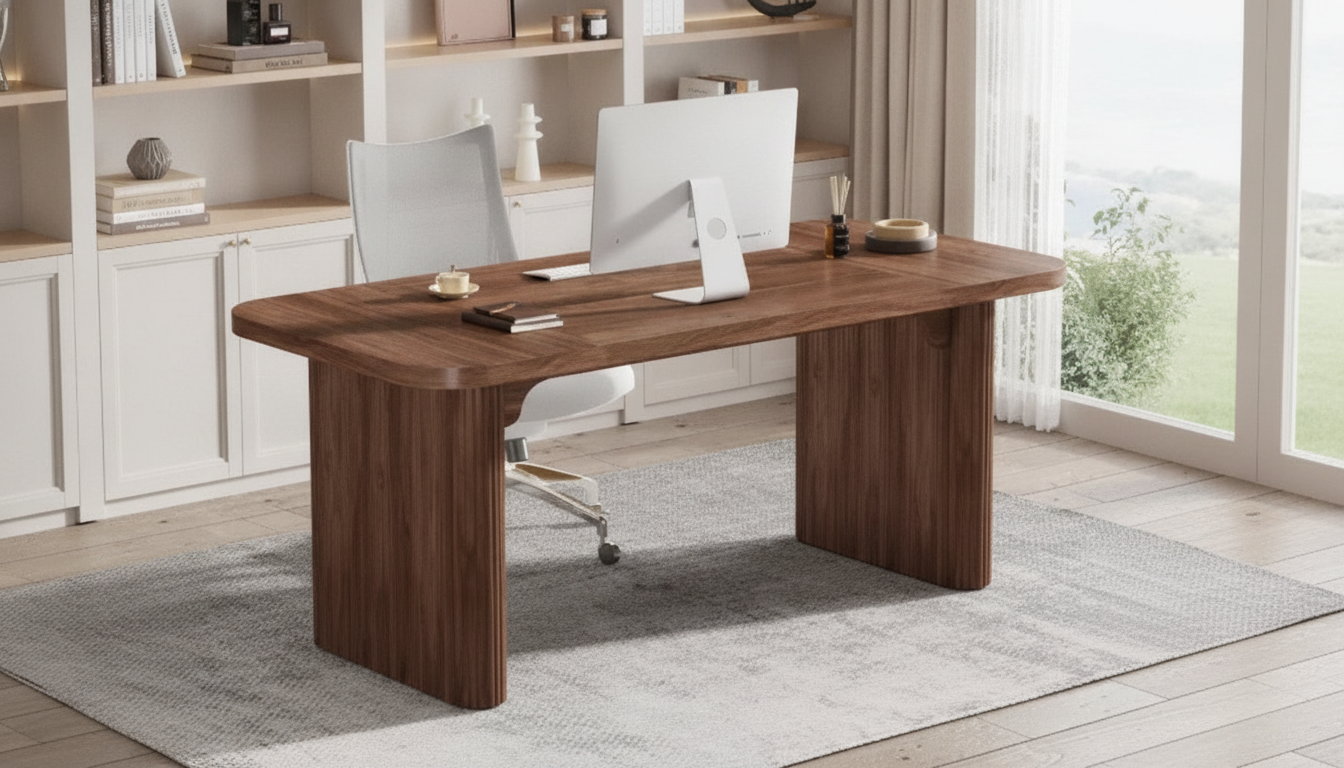
An executive desk with a natural wood top brings warmth to a workspace while double pedestals add the storage and visual weight that make a room feel finished. A 62-inch width sits in a sweet spot: substantial enough for serious daily work, yet manageable in many home offices and private suites. Below is what to expect from a 62″ double-pedestal executive desk, how to plan placement, and how to choose a configuration that stays comfortable and durable over time.
What Makes a Double-Pedestal Executive Desk Different
Double-pedestal executive desks are designed to look grounded and perform like a workstation that can handle long days. Instead of relying on legs and a single drawer bank, they use two storage bases (pedestals) that visually anchor the desk and provide balanced organization.
- Balanced storage on both sides: With drawers on the left and right, supplies, paperwork, and peripherals can be stored without stacking items on the work surface.
- 62-inch width supports real workflows: This size typically accommodates a multi-monitor setup, a writing or signing area, and room for accessories without feeling oversized.
- Natural wood character: Natural wood tops vary in grain and tone, bringing warmth that pairs well with both modern and traditional office decor.
- Stability benefits: Pedestal bases can improve stability, especially if the desktop will carry heavier equipment like monitor arms, audio gear, or a desktop PC.
Key Features to Look For in a 62-Inch Executive Desk
A double-pedestal design can look similar across listings, but day-to-day satisfaction often comes down to construction details, drawer function, and how easily the desk stays organized.
- Work surface finish: A protective topcoat helps resist scratches, heat marks, and everyday spills. This is especially important for natural wood surfaces that you’ll want to keep looking even and refined.
- Storage layout: A mix of shallow drawers for supplies and deeper drawers for files makes it easier to maintain categories (stationery, tech, documents) without “miscellaneous” clutter.
- Legroom and knee clearance: Confirm the open seating area width and height so your chair fits comfortably—especially if you prefer chair arms at desk height.
- Hardware quality: Smooth slides and sturdy pulls matter more over time than decorative accents. Drawers should glide consistently and close squarely without needing to be “lifted” into alignment.
- Cable management: Look for grommets, rear cutouts, or a modesty panel design that doesn’t trap cords. Clean cable routing keeps the desktop usable and makes the space look intentional.
Executive Desk Feature Checklist
| Feature |
Why it matters |
What to confirm before buying |
| Double pedestals |
More storage and a substantial look |
Drawer count, drawer depths, and which side(s) include file storage |
| Natural wood top |
Warmth, grain character, and a premium feel |
Protective finish, edge style, and color tone in your lighting |
| 62-inch width |
Supports typical executive workflows |
Room for monitors, keyboard, writing space, and desk accessories |
| Drawer slides |
Daily usability and long-term durability |
Smooth extension, load feel, and alignment |
| Knee space |
Comfort for long work sessions |
Clear opening width/height and whether a center drawer reduces space |
| Cable handling |
Keeps the desktop uncluttered |
Grommets, rear access, and space for a power strip |
How to Choose a 62″ Double-Pedestal Executive Desk
When inventory is limited, it helps to focus on fit and function first so the desk you choose works now and still makes sense as your setup evolves.
- Measure the room with movement in mind: Confirm the wall span and walking paths, then allow comfortable clearance behind the chair and around drawers. Extra space is useful if drawers open toward a main walkway or a nearby door.
- Decide on placement early: Centering the desk on a wall feels formal and symmetrical. Floating the desk can create a commanding layout for client meetings or video calls, but it requires more deliberate cable planning.
- Match the wood tone to your lighting: Lighter natural wood can brighten smaller rooms and reduce visual heaviness. Deeper tones can ground larger offices and pair well with high-contrast decor.
- Choose storage based on workflow: If paperwork is frequent, prioritize true file drawers. If most work is digital, focus on supply drawers and an uncluttered surface for keyboard, notebook, and charging zones.
- Plan for upgrades: Leave room for a monitor arm clamp, a printer stand, or a small credenza so the main workstation stays open and the chair area remains comfortable.
For comfort and injury prevention, basic workstation ergonomics matter as much as the desk itself. Practical guidance from OSHA’s Computer Workstations eTool, the Cornell University Ergonomics Web, and the American Chiropractic Association can help dial in monitor height, chair position, and reach zones.
Styling and Setup for a Clean Executive Workspace
Care Tips for a Natural Wood Desk Top
FAQ
How much space should be left behind an executive desk for a chair?
Plan for enough clearance to pull the chair out and stand up comfortably, plus a walking path if the area is a passageway. More space is helpful when drawers open toward the walkway or when the desk sits near a door.
Do double-pedestal desks reduce legroom?
They can, depending on the width and height of the center opening and whether a center drawer or modesty panel intrudes into knee space. Check the knee-clearance measurements and make sure your chair arms fit under the desk at your preferred working height.
How should a natural wood desk top be protected from daily wear?
Use a desk mat for the main work zone, coasters for drinks, and avoid placing hot items directly on the surface. Clean gently, lift equipment when moving it, and minimize sustained direct sunlight to help keep the wood tone consistent.
Recommended for you









Leave a comment