Why is my HDMI not working through my USB-C dock?
When HDMI fails through a USB-C dock, the issue is usually not the HDMI cable itself—it’s the USB-C video path. Many USB-C ports and docks look identical, but they don’t all carry video, don’t all support the same resolutions, and don’t all behave the same across Windows, macOS, Chromebooks, and tablets. A quick, methodical check can usually pinpoint the cause.
Answer
Start by confirming your USB-C port supports video output. Your laptop/tablet must support USB-C DisplayPort Alt Mode or Thunderbolt; a USB-C port that’s “data-only” will never send video to the dock’s HDMI port. If your device supports video, make sure you’re plugging into the dock’s USB-C host input (not a power-only USB-C PD port, if your model has one).
Next, check power and negotiation. Some docks need adequate power delivery to stay stable under load. If your dock supports pass-through charging, connect a USB-C charger to the dock’s PD input and then connect the dock to your device. If the screen briefly appears and then drops, it can indicate insufficient power, a flaky cable, or a bandwidth/compatibility issue.
Then verify cables and display settings. Use a known-good HDMI cable (preferably shorter) and test the monitor/TV directly with another source. On your computer, open display settings and force “Detect” (Windows) or “Detect Displays” (macOS), then try mirroring instead of extending. If you’re attempting 4K at 60Hz, try lowering to 4K 30Hz or 1080p to see if the dock, cable, or display is hitting a limit.
Finally, consider hardware limits and compatibility. Many multiport USB-C hubs share bandwidth across USB and video; heavy USB 3.0 activity can interfere with high-resolution video on some setups. If possible, disconnect other USB devices from the dock, update your device OS/drivers, and try another USB-C port.
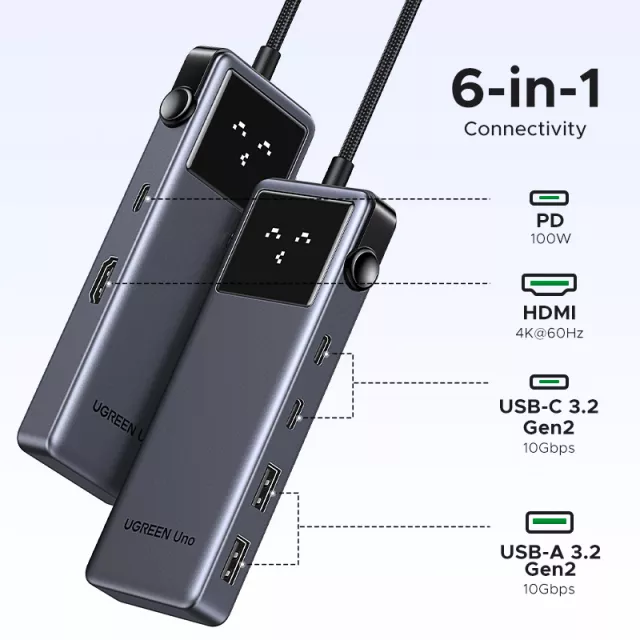
For a deeper walkthrough on capabilities (4K HDMI support, PD charging, and bandwidth tradeoffs), see the full guide here: https://originzerostores.com/guide-6-in-1-usb-c-hub-4k-hdmi-10gbps-100w-pd-guide/.
FAQ
Does a USB-C dock need DisplayPort Alt Mode to output HDMI?
Yes. The device’s USB-C port must support DisplayPort Alt Mode (or Thunderbolt) so the dock can convert that video signal to HDMI; a charging/data-only USB-C port won’t output video.
Recommended for you









Leave a comment