A dedicated charger can give your Samsung Galaxy Watch a consistent place in your daily routine. Whether you prefer to charge at your desk or beside your bed, a little planning can help keep the setup organized and easy to use. Before ordering, identify your exact watch model and confirm that the charger supports it. For more guidance, see Wireless Charging Station for Samsung, 3 in 1 ….
A dedicated place to charge your watch
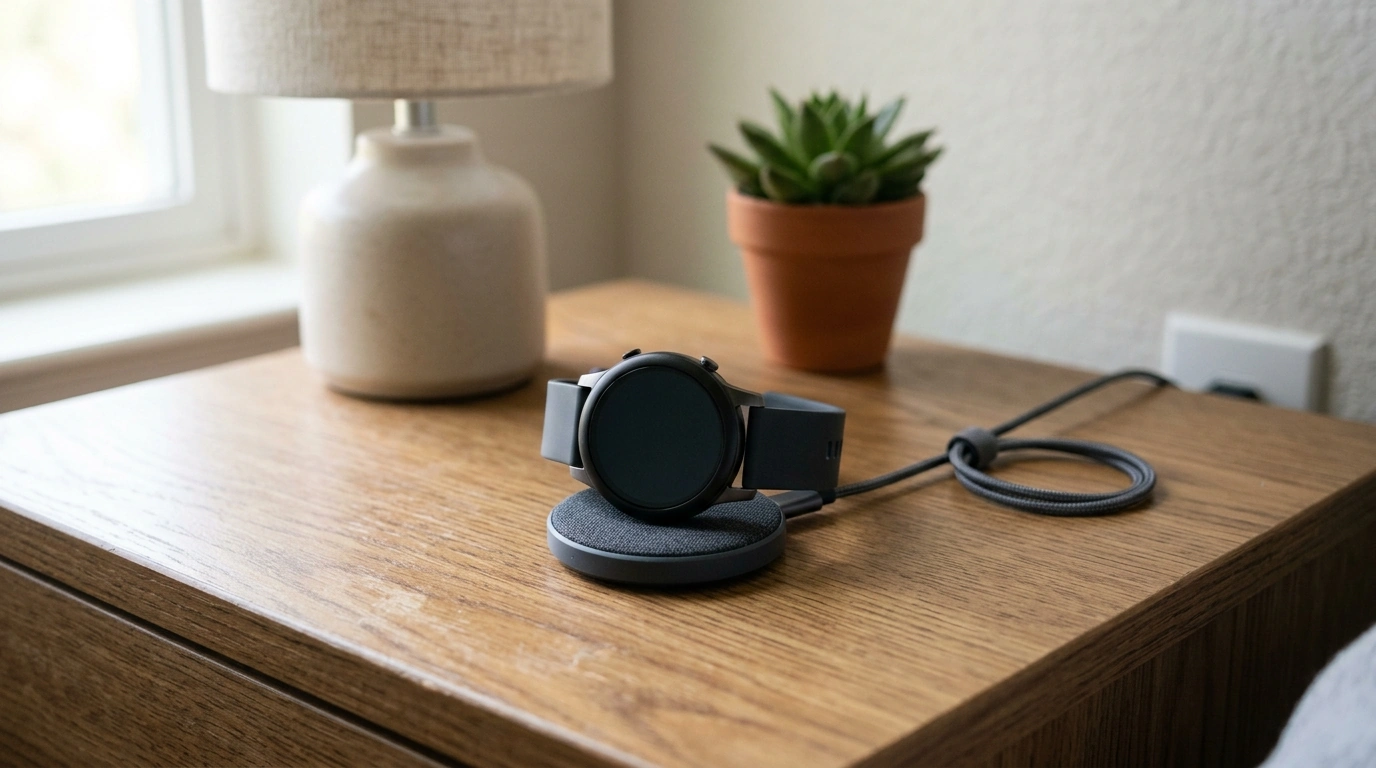
When your charger has a regular home, you spend less time looking for it and more time getting on with your day. A bedside table can be convenient if you take your watch off at night. A desk may be a better choice if you prefer to charge while you work or take a break. For further reading, see Samsung Phone and Watch Wireless Charging Stand.
Choose a spot close to a suitable power source, with enough room to place the watch without crowding the cable. Keeping the area clear also makes it easier to see the watch display when you set it down.
Our Samsung Galaxy Watch Wireless Charger is currently in stock for $2.82. Price and availability can change, so review the current details before placing your order.
Check compatibility before ordering
Galaxy Watch models are not necessarily interchangeable when it comes to charging accessories. Find the exact model name or number for your watch, then confirm that the charger supports that model. If the compatibility information is unclear, resolve that question before purchasing rather than assuming it will work.
We also recommend checking the charger’s power connection and the requirements for any adapter. The included accessories are not specified here, so confirm the package contents before deciding whether you need anything else. The product name alone does not establish that this is an official Samsung accessory.
What to check before buying
| Check |
Why it matters |
| Exact watch model |
Compatibility can vary between watch models. |
| Power connection |
The charger needs a suitable power source. |
| Included accessories |
Confirm what comes with the charger and whether an adapter is needed. |
Keep your watch model information handy while you review these details. That makes it easier to compare the stated compatibility and power requirements with the equipment you already have at home.
Make charging part of your routine
Set up the charger on a stable, dry surface where the watch can rest without being knocked off. Follow the instructions for both the watch and charger, including any directions about the power source and where to place the watch.
Position the watch as directed, then look at its display for a charging indication. If you do not see one, adjust the placement according to the instructions and check that the power source is connected. Taking a moment to confirm the indication can help you avoid discovering later that the watch never began charging.
The best charging time is the one that fits your schedule. You might charge while getting ready in the morning, working at your desk, or winding down in the evening. Charging time can vary, so allow room in your routine rather than counting on a particular speed.
Keep the charging area clean
Keep the watch and charging surface clean and dry, following the applicable manufacturer’s care instructions. Disconnect the charger before cleaning it, and allow the surfaces to dry before reconnecting and using it. Avoid using a charger or cable that is damaged.
If charging does not start, check that the power source is working and that the watch is positioned as directed. Make sure the charging surfaces are clean and dry, too. If the problem continues, consult Samsung Support for guidance specific to your watch.
A quick look at the cable and charging area whenever you set down your watch can also help you notice a loose connection or clutter. Keep the cable arranged so it is not pulled taut or caught under items on your desk or nightstand.
Choose your charger
When you are ready to shop, visit our Samsung Galaxy Watch Wireless Charger page and confirm compatibility, power requirements, and package contents for your setup. Our team recommends resolving any unanswered questions before ordering.
If you are also organizing a laptop workspace, our USB-C Hub 6-in-1 with 4K HDMI, 10Gbps Data, PD100W for Laptops & Devices is another in-stock option to consider for laptop connections. Check its specifications separately; do not assume it is a suitable power source for the watch charger.
Before choosing, compare the product details with your daily routine, available space, care needs, and preferred setup. The strongest option is usually the one that fits the intended use clearly and remains simple to clean, store, and check before repeat use.
FAQ
Will this charger work with every Samsung Galaxy Watch?
Compatibility with every Galaxy Watch model is not confirmed. Check your exact watch model and confirm that the charger supports it before ordering.
Does the charger come with a power adapter?
The included accessories are not specified. Confirm the package contents and power requirements before purchasing.
What should I do if my watch is not charging?
Check the power source and watch placement, and make sure the charging surfaces are clean and dry. Consult Samsung support if the problem continues.
Recommended for you









Leave a comment